ComEd
ComEd AR Chicago Bronzeville
An AR microgrid for Bronzeville — students place a city on the ground, add renewables, and connect the grid to learn climate and energy.
Project brief
Designed a connected, resilient, and sustainable app experience for Bronzeville — a ComEd AR mural that lets people build a city of the future on the ground and learn climate change through renewable energy.
Problem to address
The AR experience depends on daylight, and visitors need to find multiple tags in the area without someone standing next to them. It also has to teach climate change through renewable energy — not only look like a 3D toy.
Goals
- Teach why climate change and renewable energy matter, using AR
- Let people build and connect a Bronzeville microgrid without a helper on site
Design process
Design Thinking — used to learn how students meet climate and renewable-energy content, and why an AR wall in the city was the idea they wanted.
Problem
Empathize
- Desktop research
- Direct interviews
- FocusSurveys
Define
- User personas
- User journeys
Solution
Ideate
- Figma flows
- AR city prototypes
Prototype & Test
- Hi-fi mocks
- FocusUser testing
Methods
Tools
Research insights
What people wanted in the city
Survey and school interviews that framed the problem. 75% already knew AR and how to use it. 11 of 15 schools we interviewed already use AR to teach.
83%
Wanted an AR wall
vs
17%
Wanted other ideas
- Wanted an interactive AR wall83%
- Wanted other ideas17%
83 of 100 people wanted an interactive AR wall in their city for learning. The rest wanted other ideas.
User journeys
Learn about Bronzeville history and renewable energies
Johan — an 11-year-old who likes games and hates sitting still — moving through a typical energy class, and where AR can take the pressure off.
Arrive to school
Frustrated
- Goal
- Get through the day without another pile of homework.
- Action
- Gets to the school bus stop and waits for the bus.
- Opportunity
- Send the play along the week so the lesson is not only a classroom sit-down.
Renewable energy class started
Bored
- Goal
- Learn the subject without losing the hour to a lecture.
- Action
- Gets told they will learn about energy. The teacher starts reading aloud. He sits still and waits for class to end.
- Opportunity
- Guide each step toward the main goal, and let him connect reports in the app instead of filling them by hand.
Ask questions
Uneasy
- Goal
- Understand the material enough to speak up.
- Action
- The teacher asks the whole class. He does not answer well and gets extra homework.
- Opportunity
- Use easier language, give interactive material, and reward questions instead of punishing silence.
Quiz
Punished
- Goal
- Show what he knows without failing in public.
- Action
- Is forced to take a quiz, asked five questions, and cannot answer.
- Opportunity
- Challenge him at his level, let him check information, and keep the quiz from feeling like punishment.
Design decisions
Place the city on the ground, then build it
The mural opens Bronzeville Renaissance, then the camera drops a microgrid on the grass. Building on the real site makes the lesson local, not a generic energy game.
Rotate the phone to enter AR — or use a web marker
Daylight and on-site tags are easy to miss. A rotate-to-activate step, plus a web marker if they are not at the mural, keeps the walk going without a helper.
Hint the next energy part instead of lecturing
Johan sits through hours of reading aloud and still does not know what to ask. Hints tell him to add a generator for baseload, then renewables, so the science shows up as the next build step.
Connect the city only after it is built
A finished model is not the lesson. Connect city closes the loop — the grid has to work together, which is the renewable-energy point.
Product screens
iOS AR
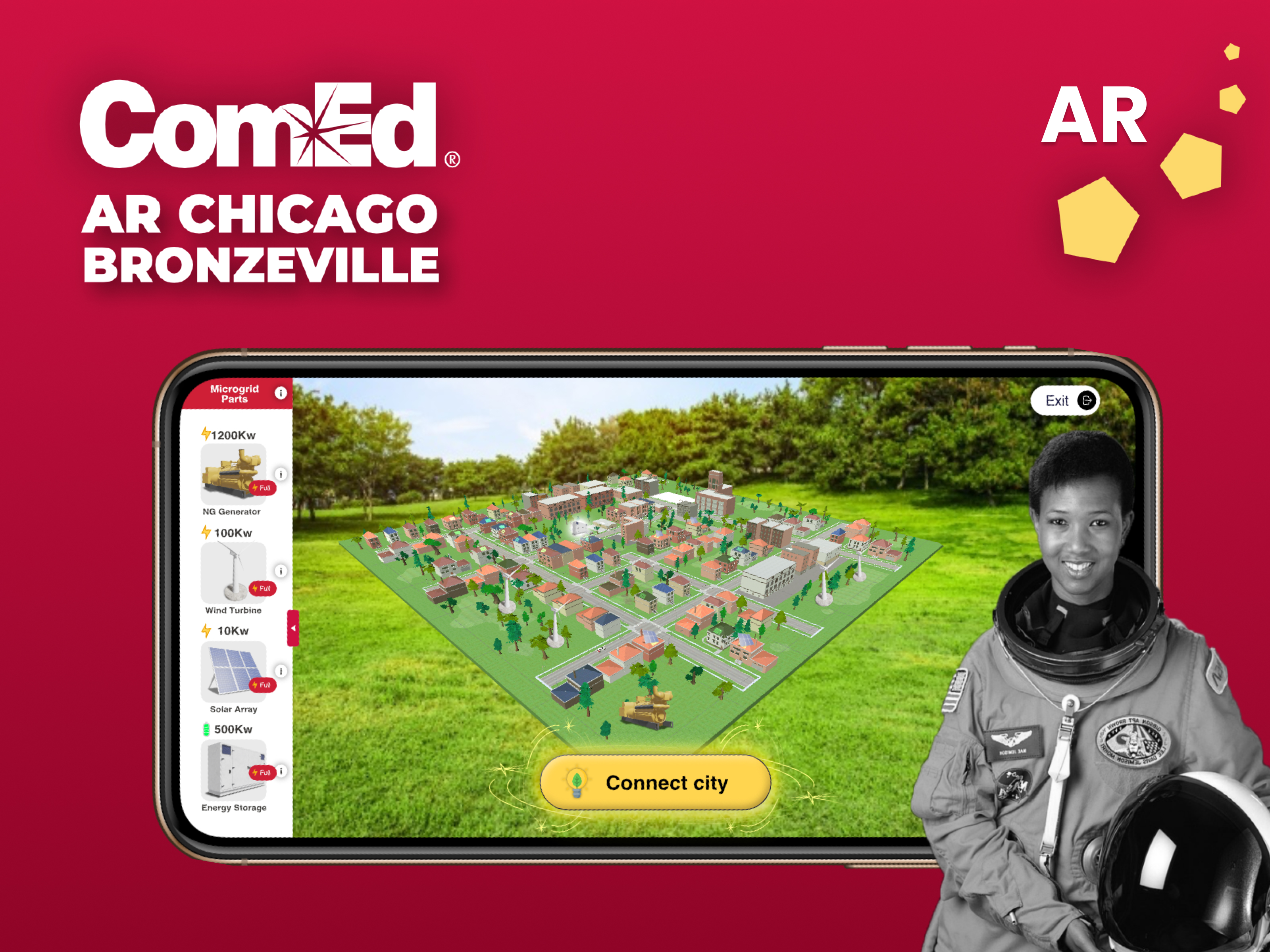
Bronzeville microgrid cover
Cover — place the city on the grass, pick microgrid parts, and connect the finished grid.
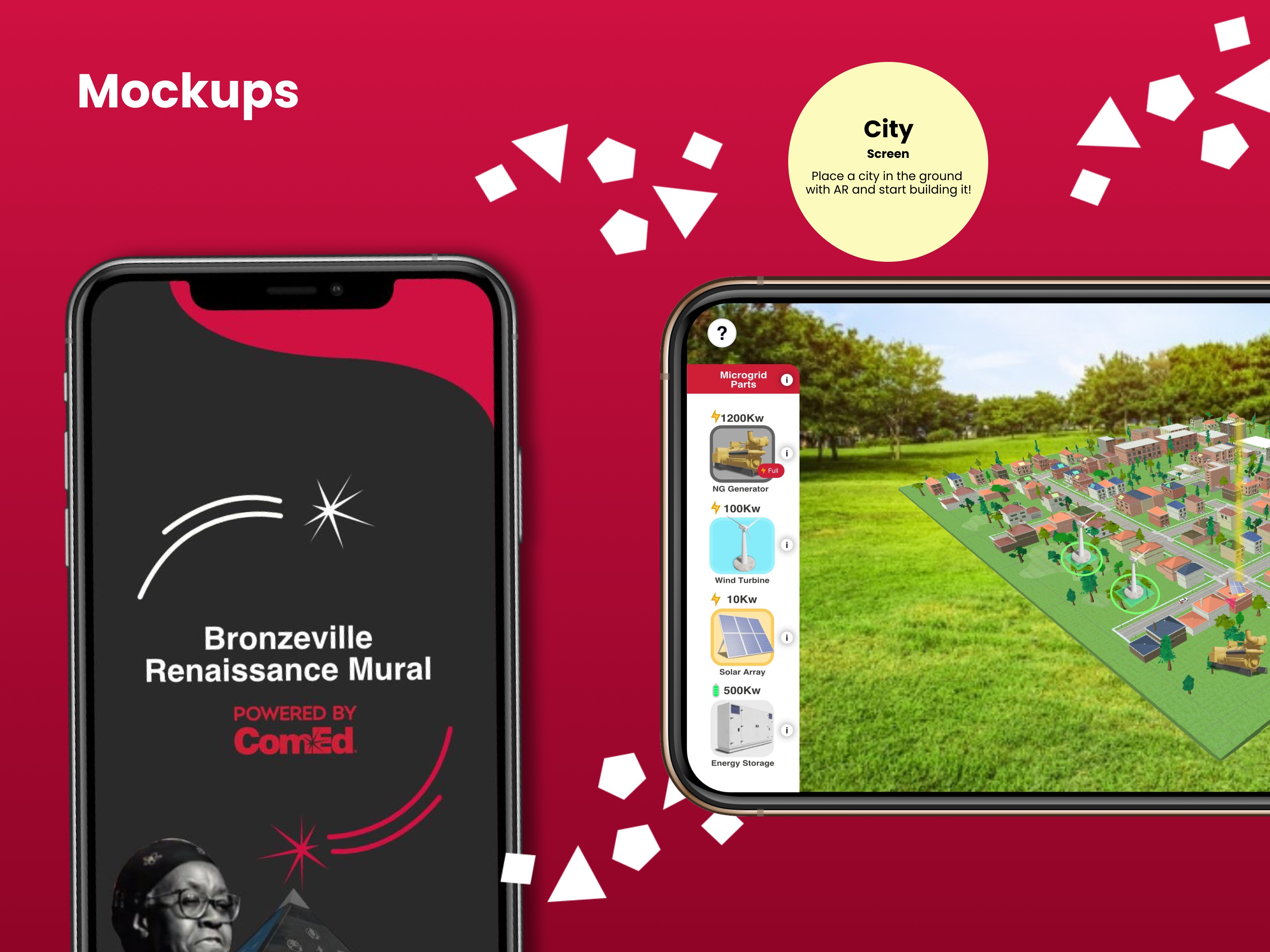
Mural splash and city on the ground
Bronzeville Renaissance Mural opens the walk. The camera then places a city on the ground so building can start.
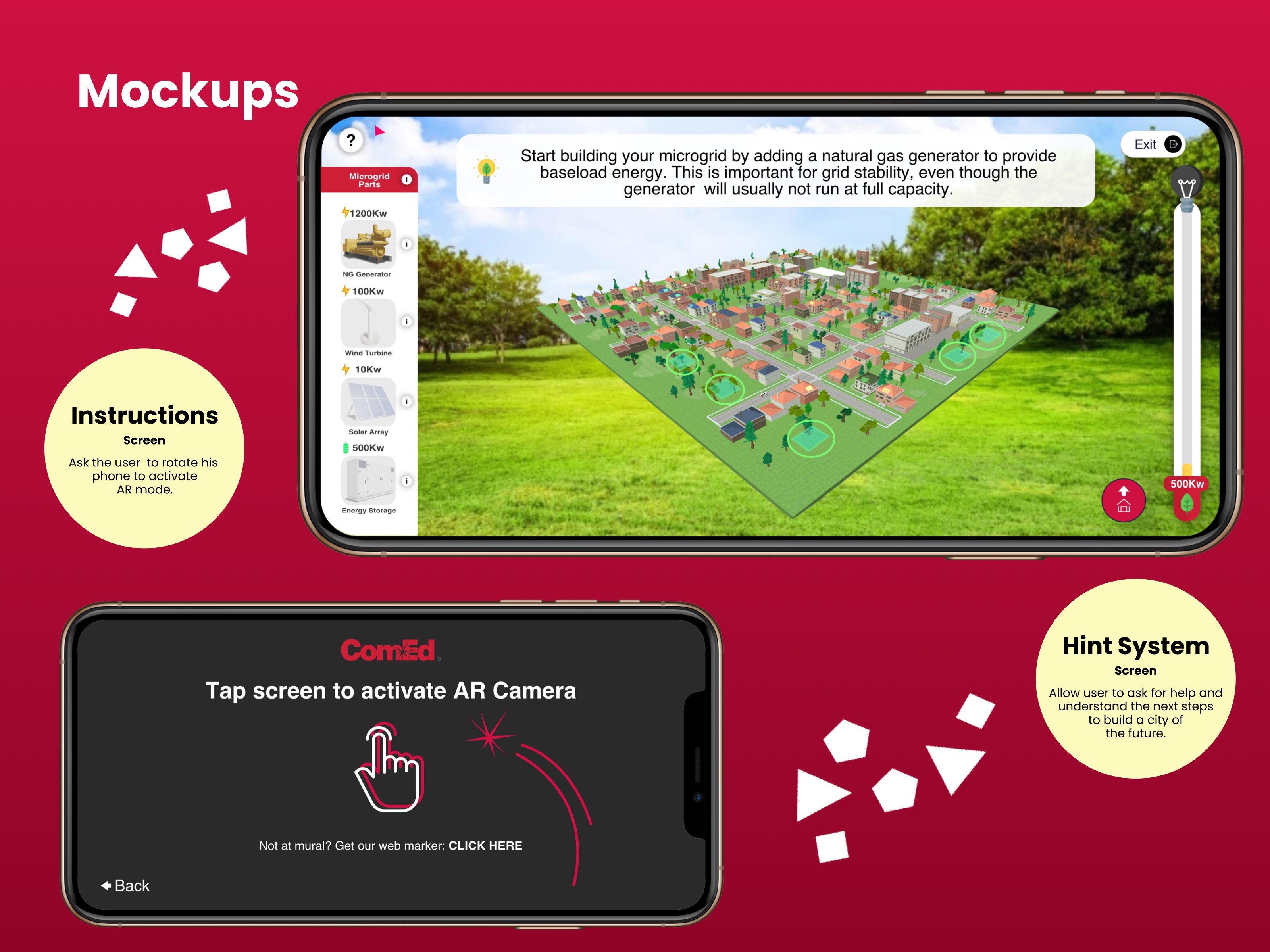
AR start and hint system
Rotate or tap to activate the camera. Hints name the next part — a generator for baseload, then renewables — and a web marker if they are not at the mural.
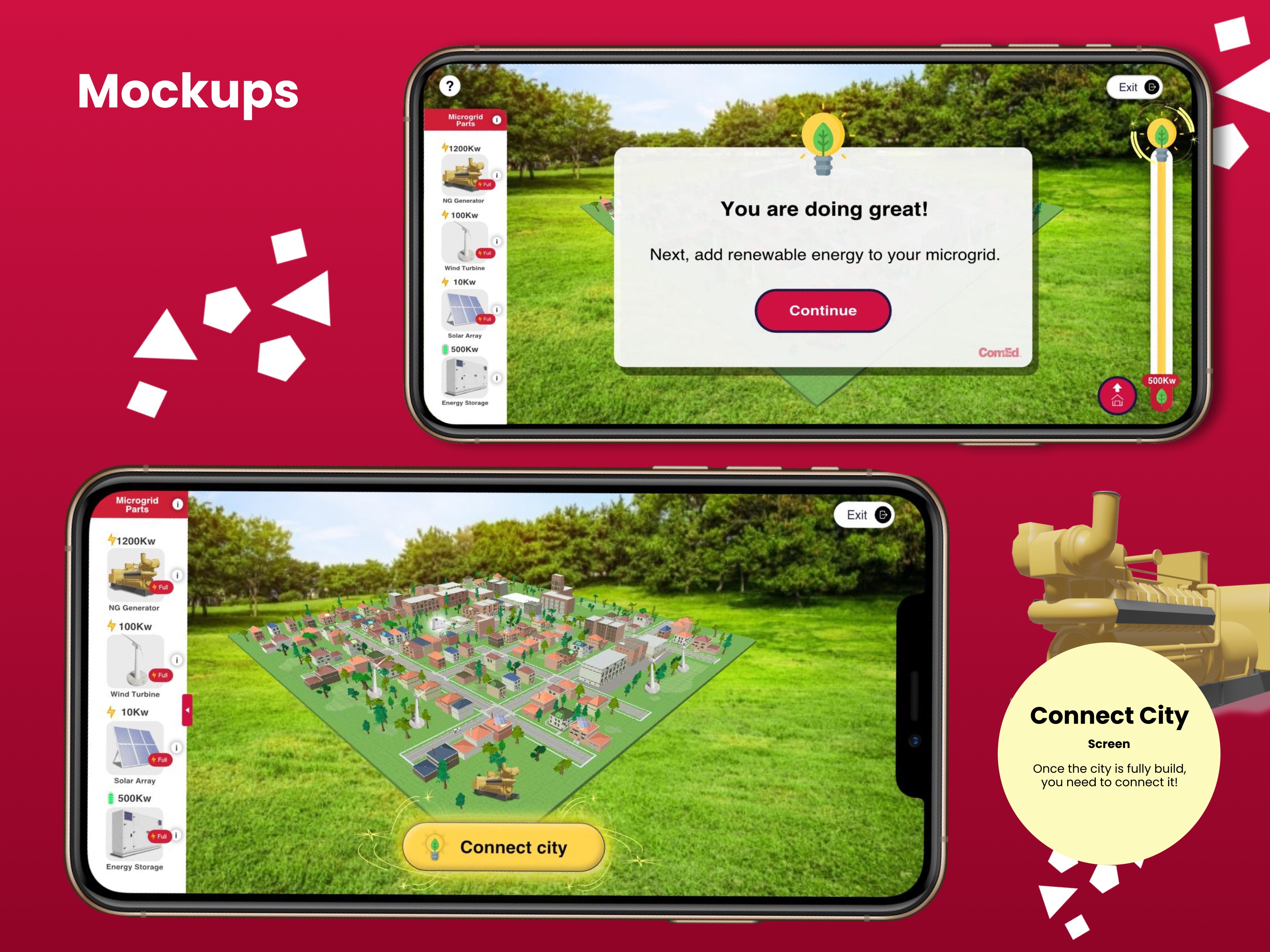
Connect the finished city
After the microgrid is built, Connect city closes the loop so the grid has to work together.
STAR case
Build and connect the microgrid
Situation
Students were learning climate and renewable energy from long lectures and quizzes. People in the city wanted an interactive AR wall, and the on-site experience had to work in daylight with several tags and no helper.
Task
Design a ComEd AR experience for Bronzeville that teaches climate change through renewable energy.
Action
Ran Design Thinking with surveys and a student persona, then designed the mural-to-city loop: rotate into AR, place the city, hint the next microgrid part, and connect the finished grid.
Result
A mobile AR walk that turns Bronzeville into a buildable microgrid — generator, wind, solar, storage — so the climate lesson is something you construct, not a quiz you fail.