Sympt
Sympt
A mobile path from symptoms to a doctor — scan possible causes, chat or video in, and get a prescription without the hospital wait.
Project brief
Designed Sympt, a mobile product that generates a prescription from the user's current symptoms and puts them in a direct chat with medical help. Built the research, journeys, hi-fi flows, and a design system so the company could keep one look across the product.
Problem to address
Finding medical help fast is hard. It costs time and money, so people self-medicate — which can create new problems in the mid and long term.
Goals
- Give users a quick scan of a possible disease
- Connect them with high-quality doctors online
- Make instant help and prescription generation easy
Design process
Design Thinking — used to learn why people still drive to a hospital or self-medicate instead of reaching a doctor online.
Problem
Empathize
- Desktop research
- Direct interviews
- FocusSurveys
Define
- User personas
- User journeys
Solution
Ideate
- Figma flows
- Affinity Designer
Prototype & Test
- Hi-fi mocks
- FocusUser testing
Methods
Tools
Research insights
How people get a prescription
Survey findings that framed the problem. 44% search their symptoms online and tend to self-medicate. 66% spend hours driving to the hospital and waiting. 80% said finding a high-quality doctor is hard.
90%
Go to the hospital
vs
10%
Fully self-medicate
- Go to the hospital90%
- Fully self-medicate10%
Nine in ten people still go to the hospital to get a prescription signed. The rest fully self-medicate.
User journeys
Assist their children with medicine
Martha — a 41-year-old single lawyer and mother of two — trying to get medicine for a sick child without losing a workday.
Search the danger of the symptoms
Frustrated
- Goal
- Understand what might be happening to her child.
- Action
- Googles the symptoms, writes a few words, and reads search results.
- Opportunity
- Guide her with high-quality data instead of an open web dump.
Generate a disease evaluation
Scared
- Goal
- Name what could be wrong.
- Action
- Puts together what she remembers and guesses at possibilities.
- Opportunity
- Reliable data instead of an amateur self-diagnosis.
Book a doctor appointment
Worried
- Goal
- Get a slot before the child gets worse.
- Action
- Calls to book, then waits on availability.
- Opportunity
- Book without a phone call when a slot is open.
Visit the doctor
Tired
- Goal
- Get the child in front of a clinician.
- Action
- Waits for a taxi, pays the fare, travels, and checks in.
- Opportunity
- A video call with a reliable doctor removes the trip.
Doctor evaluation
Relieved
- Goal
- Have someone qualified look at the child.
- Action
- The doctor reviews the child's symptoms in the room.
- Opportunity
- Send the symptom list before the visit so the exam can start sooner.
Generate a prescription
Anxious
- Goal
- Leave with a valid prescription.
- Action
- Shares personal information while the doctor types the script.
- Opportunity
- A digital prescription she can receive and validate without another wait.
Payment
Frustrated
- Goal
- Pay and get out.
- Action
- Goes to the desk and waits in line.
- Opportunity
- Digital payment so she does not queue after the visit.
Buy drugs for her child
Stressed
- Goal
- Get the medicine today.
- Action
- Looks for a nearby pharmacy that still has the drug.
- Opportunity
- Buy everything in one shop, pay online, or have it delivered.
Design decisions
Open with four jobs, not a blank form
Home lets people read symptoms, reorder last drugs, order a new prescription with a code, or book a specialist. The first tap matches the job they came to do.
Ask for honest symptoms before any cause
The selector reminds people to be honest or the result will be less accurate. A short list — stomach ache, fever, headache — is faster than a free-text dump.
Show possible causes as a starting point, not a verdict
The causes screen says this is only a diagnosis based on the data they selected. Contact a specialist sits next to the result so they do not treat the scan as the last word.
Hand the doctor the symptoms, then chat or video
The inbox and video call start after the scan. The doctor already has what the user added, so the visit is not another intake.
Product screens
Mobile
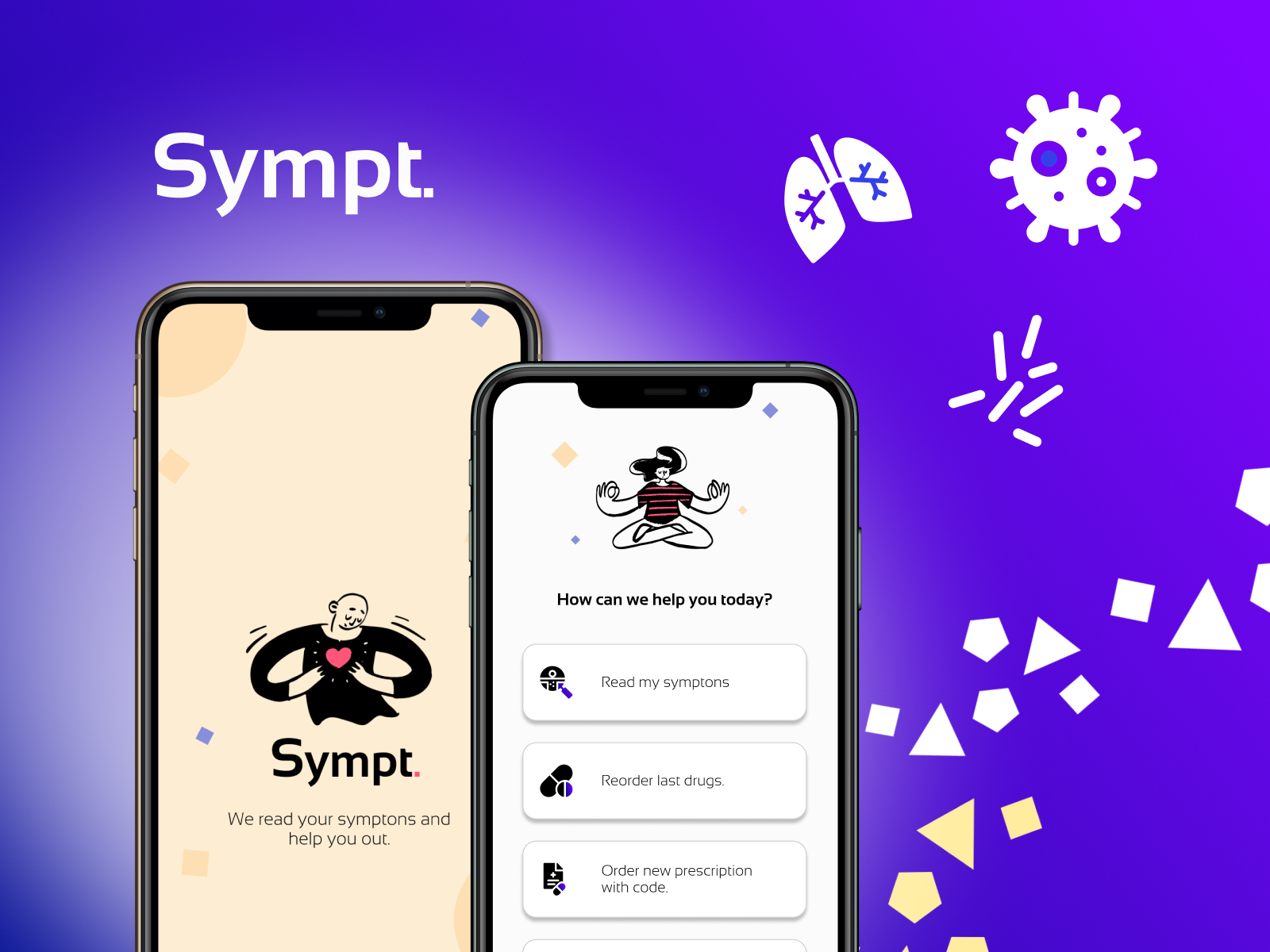
Splash and video visit
Cover — the Sympt splash next to a live video visit with the doctor.
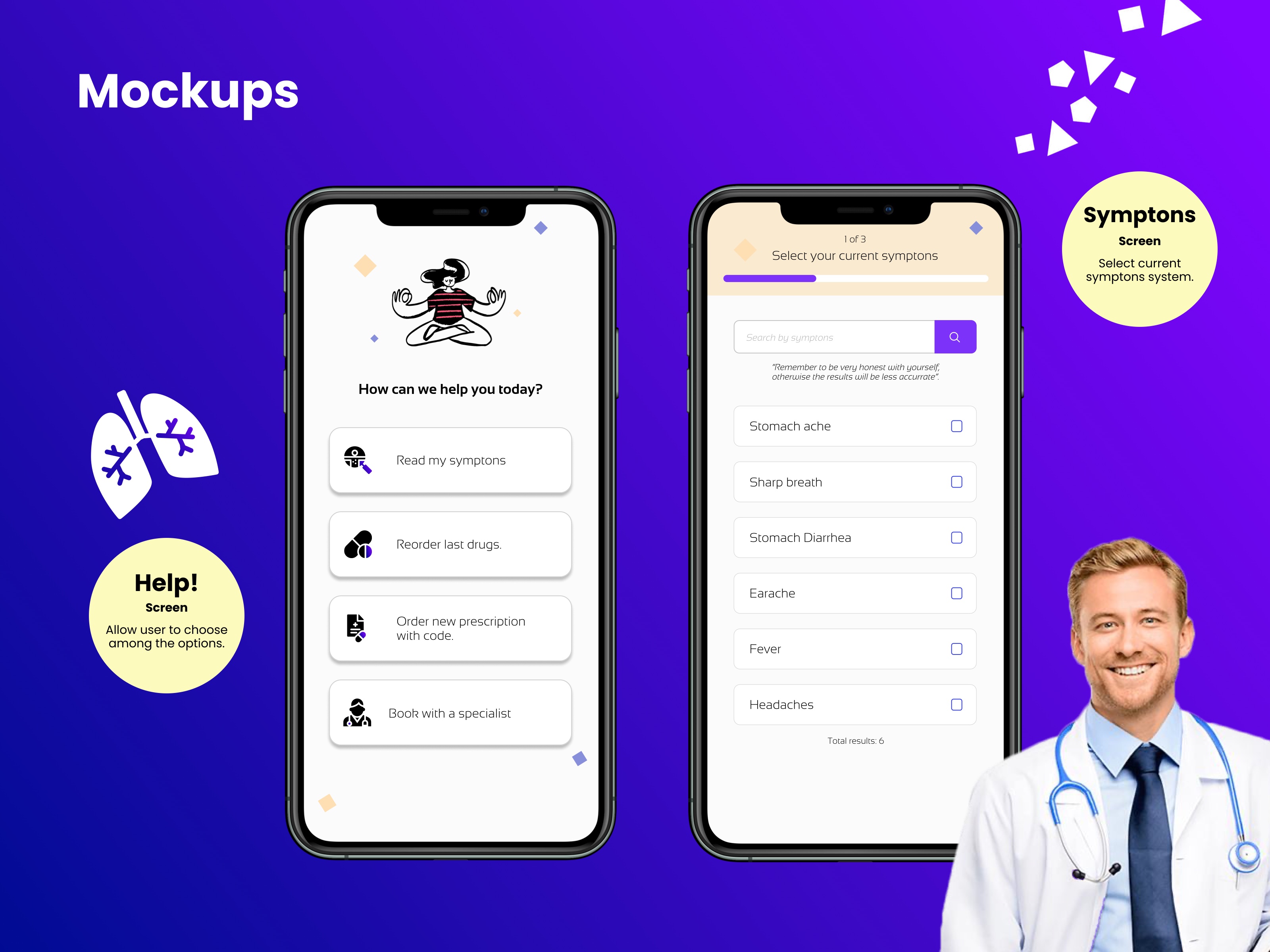
Home and symptom selector
Four jobs on home — read symptoms, reorder last drugs, order a prescription with a code, or book a specialist — then a short symptom list.
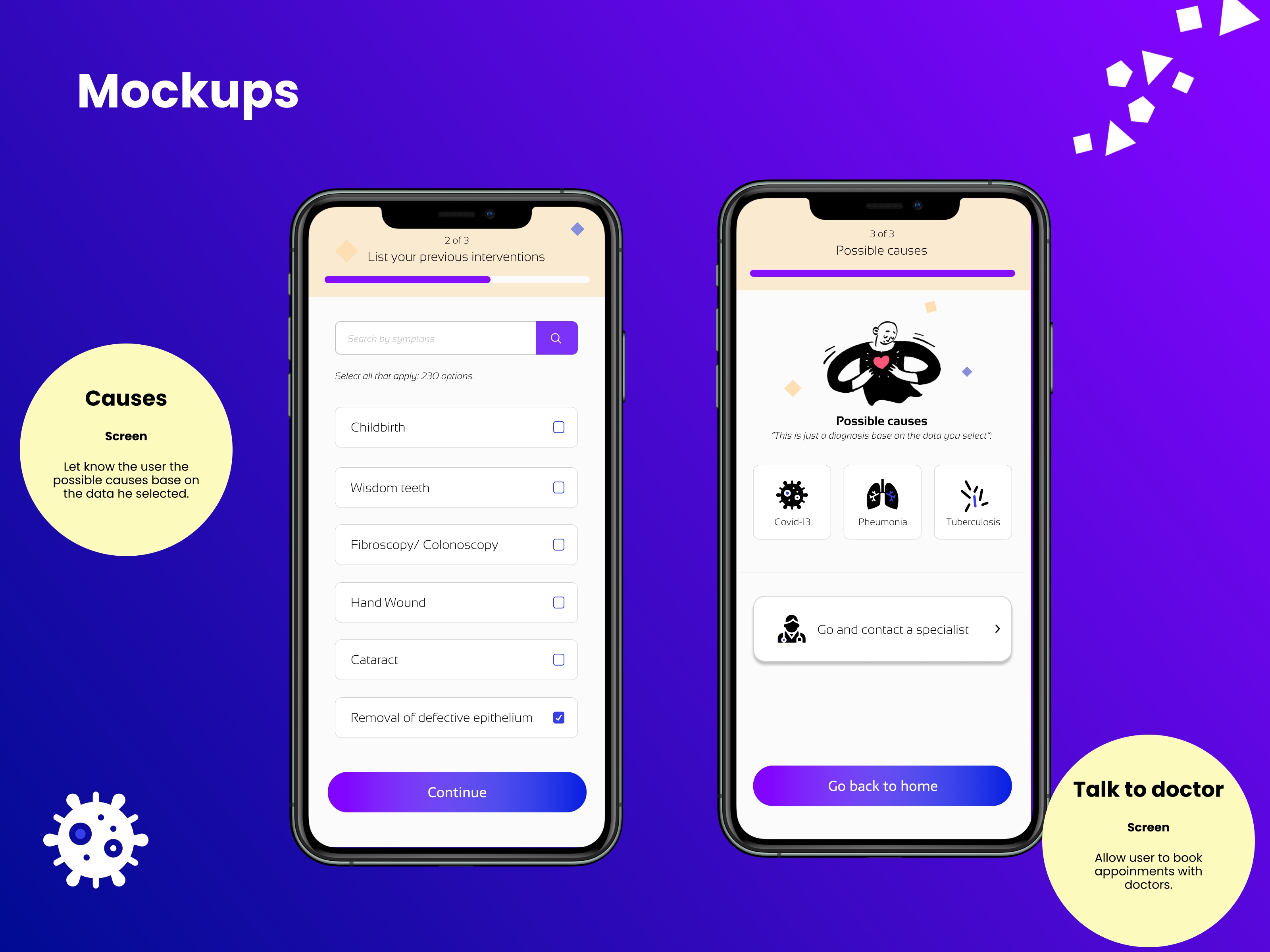
History and possible causes
Prior interventions, then possible causes framed as a scan from the data they selected, with a path to contact a specialist.
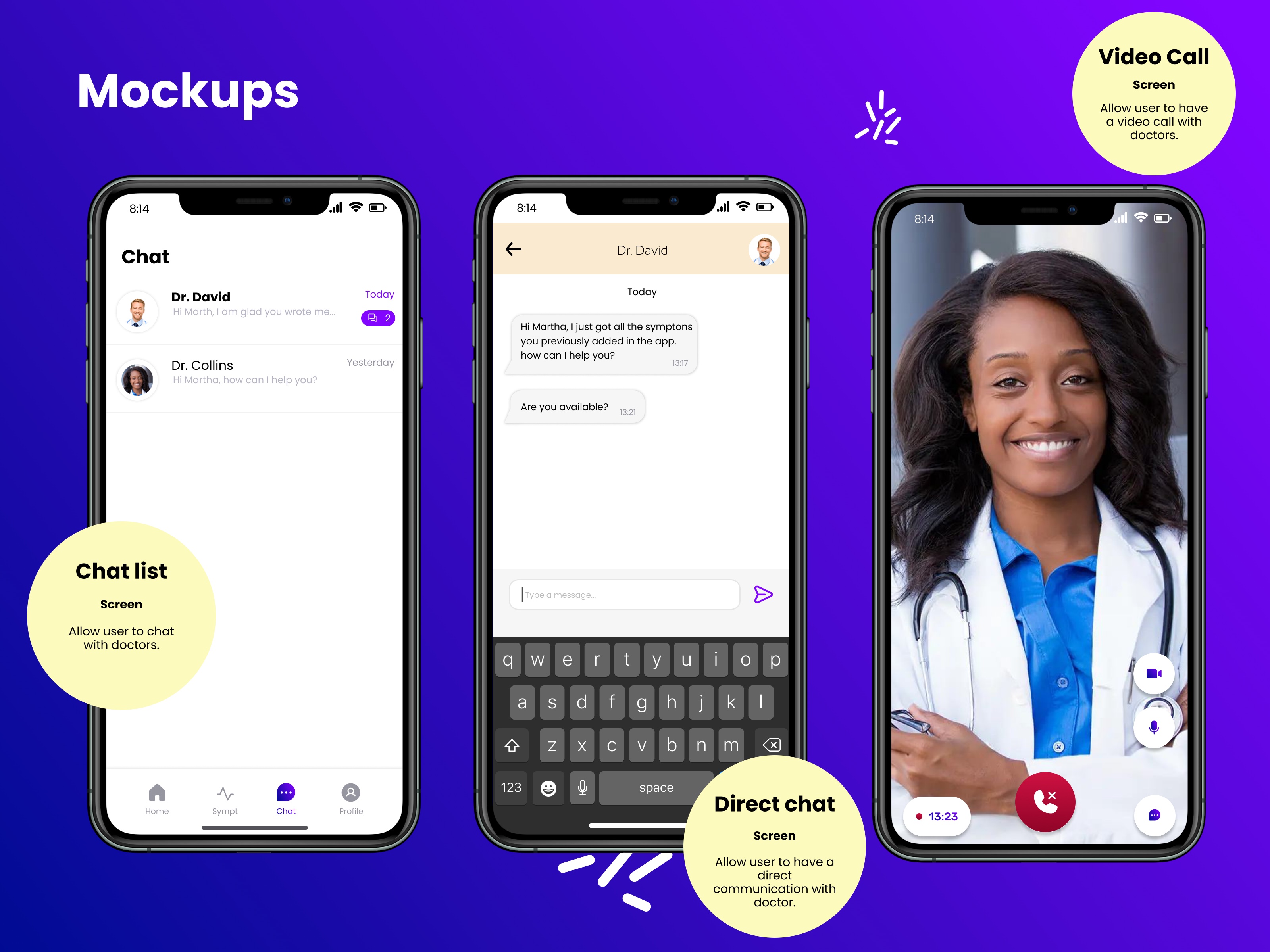
Doctor chat and video
Inbox, direct chat, and video with a doctor who already has the symptoms added in the app.
Leadership & performance
Created a design system for the company so the product could stay visually consistent as screens were added.
STAR case
From symptoms to a doctor
Situation
Finding medical help fast was hard and expensive, so people self-medicated or spent hours getting to a hospital for a signed prescription.
Task
Help users scan a possible disease and reach a high-quality doctor online for instant help and an easier prescription.
Action
Ran Design Thinking with surveys, a parent persona, and a medicine-for-a-child journey, then designed the symptom flow, possible-causes screen, and doctor chat and video — plus a design system for the company.
Result
A mobile path that starts with symptoms and ends in a direct conversation with a doctor who already has the scan, instead of another hospital wait.