Budgee
Budgee
Financial health in one place — wallets, budgets, savings, and a clear view of what is left this month.
Project brief
Designed Budgee, a personal-finance product so people can keep everyday expenses on budget. Research produced two personas and a monthly-budget journey; the MVP covered account creation, a bank-synced wallet, budgets, saving goals, and a balance view — then hi-fi for mobile and web.
Problem to address
Keeping expenses on budget still means hunting for tools, filling spreadsheet templates by hand, tagging every line, and then staring at a dashboard that does not explain the month.
Goals
- Make account creation simple
- Let people create a wallet synced with their bank
- Create a budget and set a saving goal
- View balance and expenses in one place
Design process
Design Thinking — used to pick the research and production tools for keeping everyday expenses on budget.
Problem
Empathize
- Desktop research
- FocusAffinity of problems
- User personas
- Customer journey
Define
- Affinity of solutions
- Impact graph
Solution
Ideate
- Benchmarking
- Flowcharts
- Wireframes
Prototype & Test
- Low-fi MVP
- FocusTest
- High fidelity
Methods
Tools
User journeys
Keep expenses on budget
A student setting a monthly budget with everyday tools — the path Michelle takes before Budgee, and the one Julian still fights in a spreadsheet.
Look for financial tools
Lost
- Goal
- Find a way to plan a monthly budget.
- Action
- Searches Google, looks for how to plan a budget, and downloads spreadsheet templates.
- Opportunity
- Tell people where to start. The first screen should not feel like a blank budget.
Fill a template for the monthly budget
Overwhelmed
- Goal
- Get income and monthly expenses onto one sheet.
- Action
- Fills income, then every monthly expense, with almost no instruction.
- Opportunity
- Guide the main goal, and connect a bank so they do not type the month by hand.
Add categories so the data is readable
Tired
- Goal
- See where the money actually goes.
- Action
- Adds tags and more detail to each line so the sheet can be read later.
- Opportunity
- Two or three steps, or prefilled categories, instead of building a taxonomy from scratch.
Add expenses
Frustrated
- Goal
- Log what was just spent.
- Action
- Opens a drive file, finds the right place, and adds the expense plus a category.
- Opportunity
- Adding a spend should be two or three steps, not a scavenger hunt.
Check the dashboard
Confused
- Goal
- Understand this month's behavior.
- Action
- Opens the main tab and tries to read the finance view.
- Opportunity
- Plain language, spend by category, and progress against budgets and saving goals.
Design decisions
Ship the same overview on mobile and web
People check spend on the phone and review the month at a desk. Today's balance, budget, and what is left sit on both surfaces so the story does not change with the device.
Start with a wallet — cash or bank
A blank home asks them to create a wallet first. Cash is manual. A bank wallet syncs income and expenses so they stop retyping a template.
Put budget, expenses, and savings on one home
Michelle needs to see what is left this month. Julian needs to see if the month is on plan. One row — expenses, budget, left — beats three separate apps.
Show spend by category, not a raw dump
Auto, entertainment, and groceries already have a number and what is left. The dashboard uses those categories instead of finance jargon.
Product screens
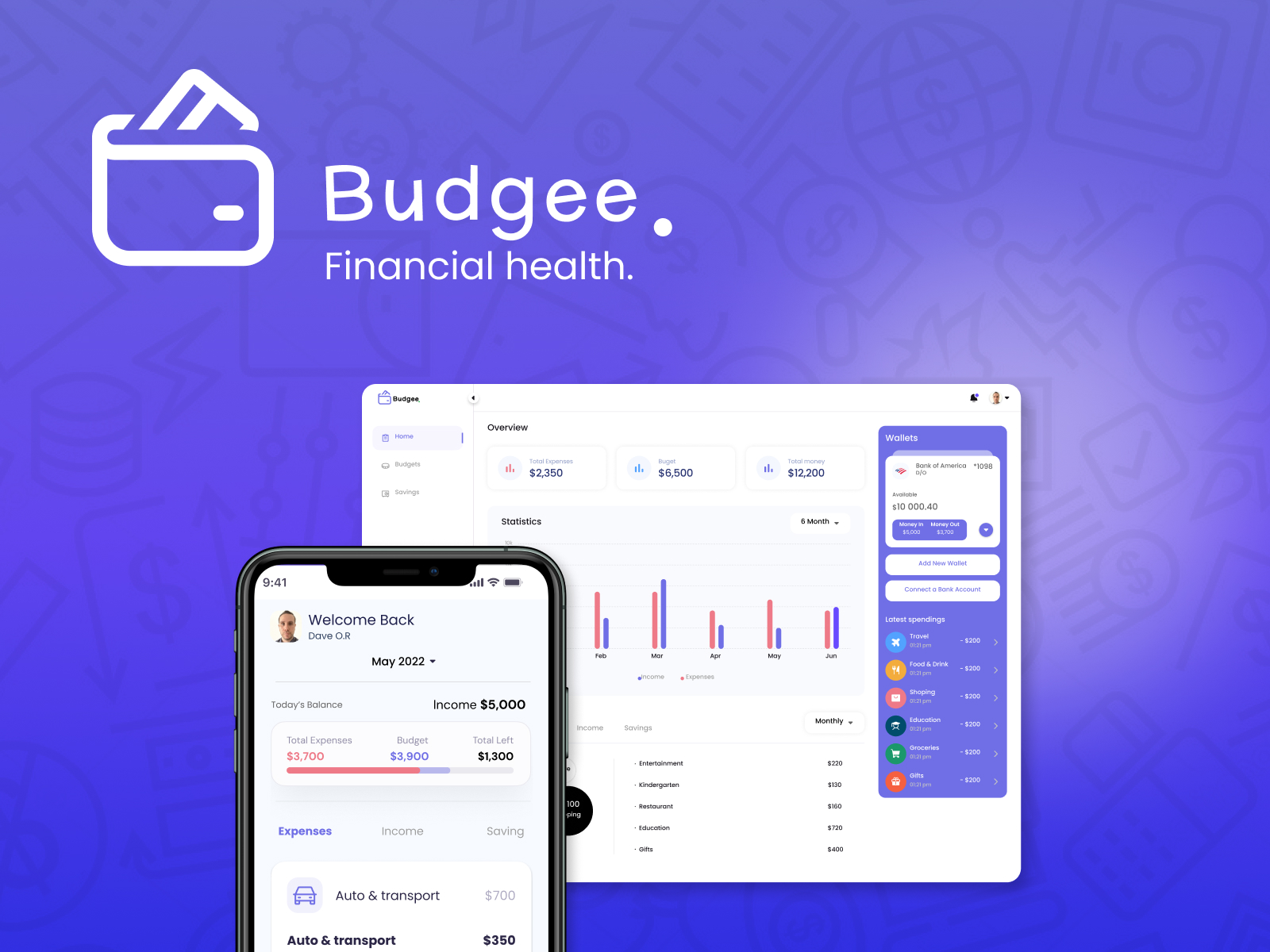
Financial health cover
Cover — mobile home next to the web overview: balance, budget, wallets, and latest spend.
Mobile
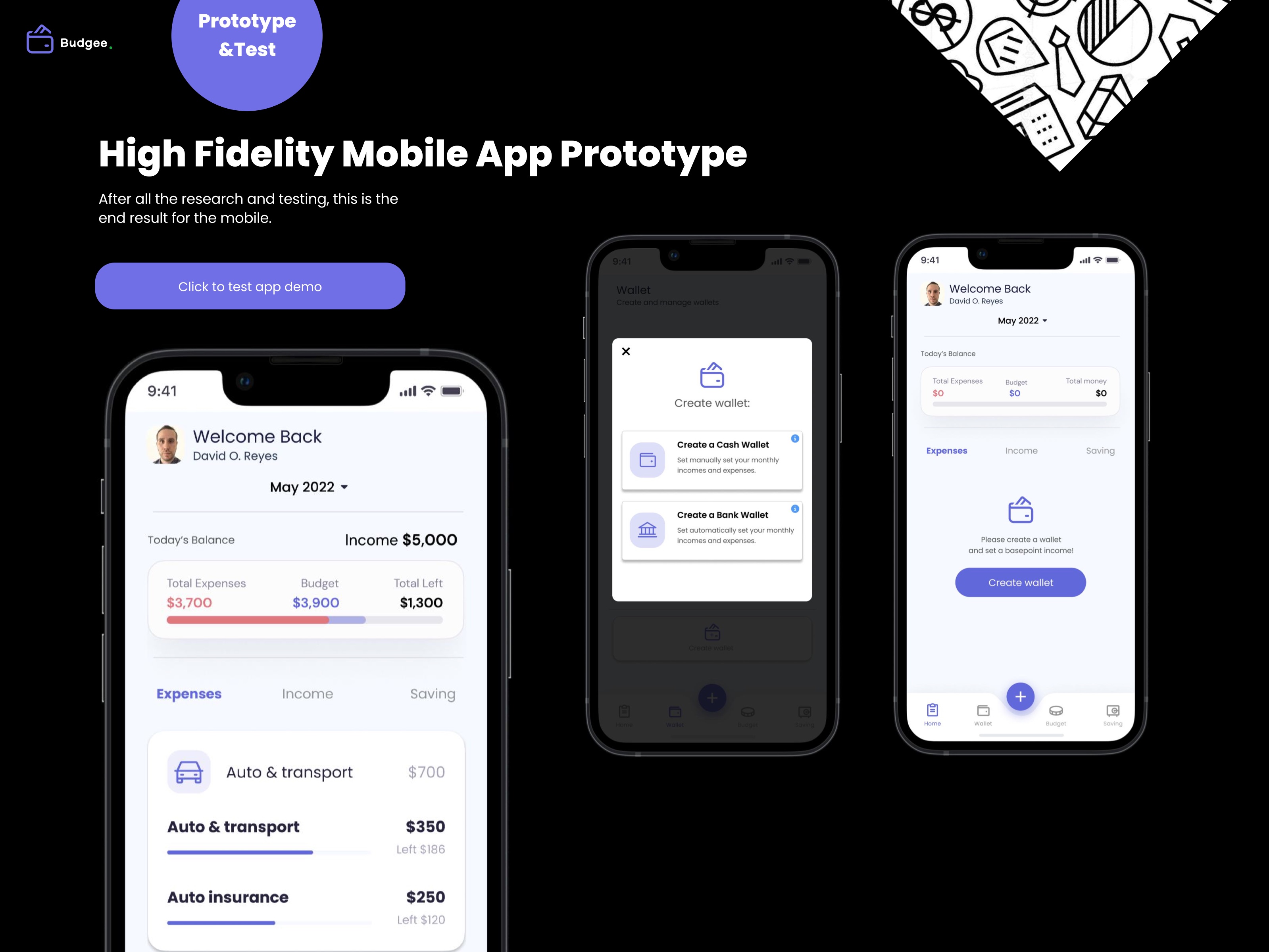
Mobile home and wallets
Today's balance, expenses versus budget, category left-to-spend, and a first-run to create a cash or bank wallet.
Web
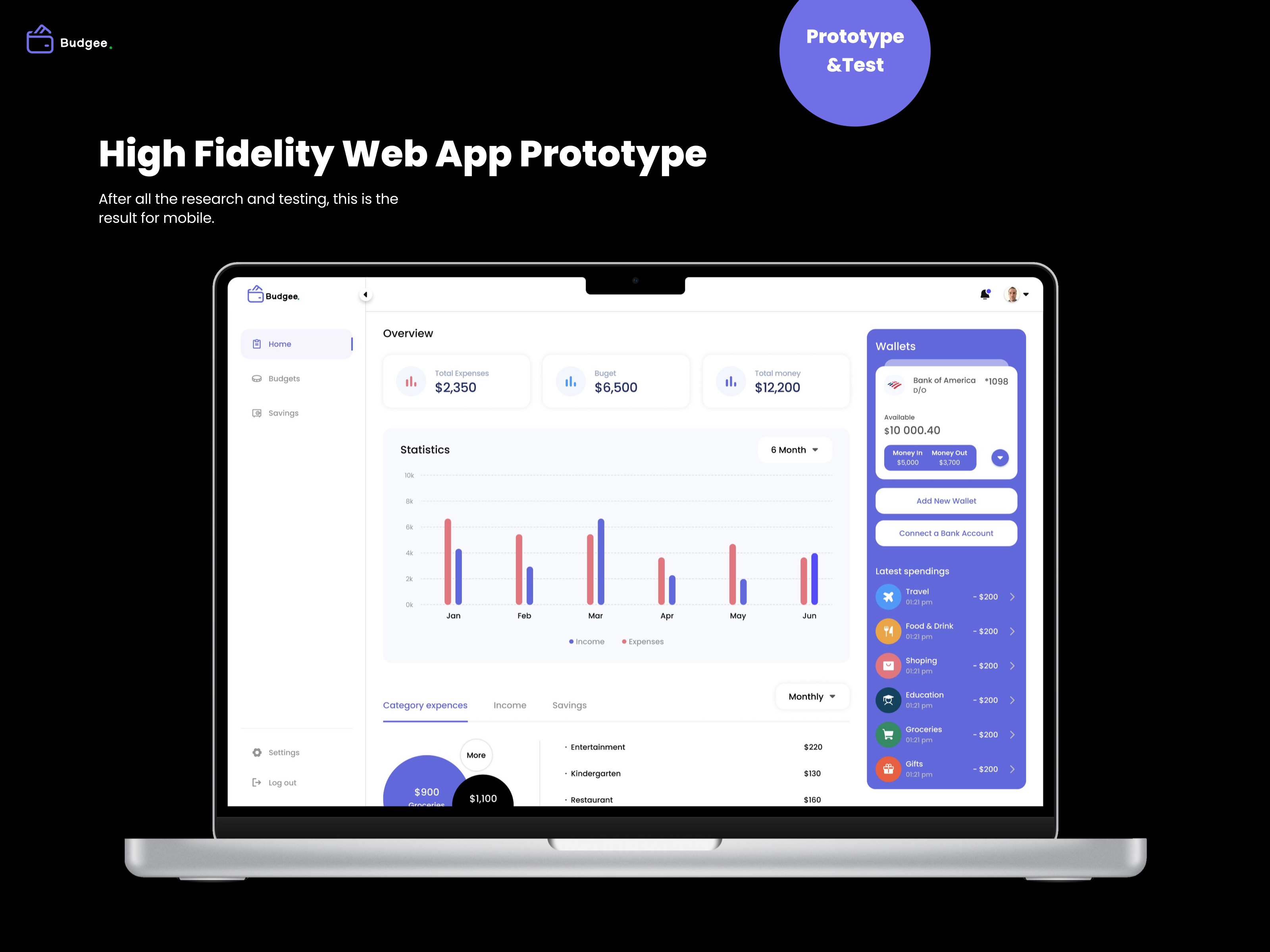
Web overview
Six-month income versus expenses, category spend, connected wallets, and latest transactions on one desktop canvas.
STAR case
Keep the month on budget
Situation
People were keeping expenses on budget with search, spreadsheet templates, and dashboards that hid the month behind jargon.
Task
Design a financial-health product that makes the month readable — wallets, budgets, savings, and a clear leftover.
Action
Ran Design Thinking with two personas and a monthly-budget journey, prototyped five MVP flows, then designed hi-fi for mobile and web.
Result
A mobile and web overview where a wallet — cash or bank — feeds budgets, category spend, and what is left this month.