Truckers Networks
Truckers Networks
Get hired fast — Class A jobs with the four facts that matter, plus a web add-on path so companies can post without a support ticket.
Project brief
Designed Truckers Networks so drivers can find and apply for Class A work from the phone, and so companies can post a job — and pay for reach — on the web. The work covered the apply flow, activity, CDL practice, and a job add-on system.
Problem to address
Drivers hunted jobs in Google and then hit a long profile before they could apply. Companies needed help from support just to post. The facts that decide a job — pay, home time, equipment, experience — were buried.
Goals
- Help drivers get hired faster
- Make posting a job completable without a support ticket
- Show the core job facts so a driver can accept with confidence
Design process
Design Thinking — used to pick the research and production tools so drivers can find a job, and companies can post one, without a support ticket.
Problem
Empathize
- Desktop research
- FocusAffinity of problems
- User personas
- Customer journey
Define
- Affinity of solutions
- Impact graph
Solution
Ideate
- Benchmarking
- Flowcharts
- Wireframes
Prototype & Test
- Low-fi
- FocusTest
- High fidelity
Methods
Tools
User journeys
Find a job in the drivers app
A Class A driver looking for work on the phone — from Google to an accepted offer.
Look for jobs
Unsure
- Goal
- Find Class A work that pays and gets him home.
- Action
- Searches Google and downloads an app.
- Opportunity
- A known channel — not another generic job board — so he knows where to start.
Sign up
Cautious
- Goal
- Get into the app without a long contract.
- Action
- Creates an account, email, and password, and accepts terms.
- Opportunity
- Password confirm and a short sign-up. Name and last name can wait.
Complete the profile
Overwhelmed
- Goal
- Become eligible to apply.
- Action
- Fills personal data, then CDL, then experience — many fields, endorsements, and restrictions.
- Opportunity
- Prioritize the few fields that unlock apply. Hide the rest until later.
Search nearby jobs
Unclear
- Goal
- See roles that match his license and miles.
- Action
- Sets search filters and employment types.
- Opportunity
- Explain job types so the checkboxes are not a guess.
Find a job and apply
Hesitant
- Goal
- Tap a post he actually wants.
- Action
- Opens a card, swipes, and applies.
- Opportunity
- One clear apply. Favorites so he can keep a shortlist.
Get accepted
Waiting
- Goal
- Know if the company took him.
- Action
- Checks the company app to see if he got the job.
- Opportunity
- A notification in-app or email, plus a way to message the company.
Design decisions
Lead the job with four facts
Experience, home time, pay, and equipment decide a Class A role. Those four sit at the top so a driver can apply or discard without reading a wall of text.
Keep applied and dismissed in one activity list
Drivers apply to many posts. A single list — applied versus dismissed — replaces hunting through email to remember what they already touched.
Sell reach as add-ons on the job post
Promote, boost, or add a hire link. Companies see the extra and the preview. That is a clearer income path than a generic upgrade page.
Let drivers practice CDL next to the job hunt
The same app holds quizzes and a class dashboard. A driver who is still earning the license can practice without leaving Truckers Networks.
Product screens
Mobile
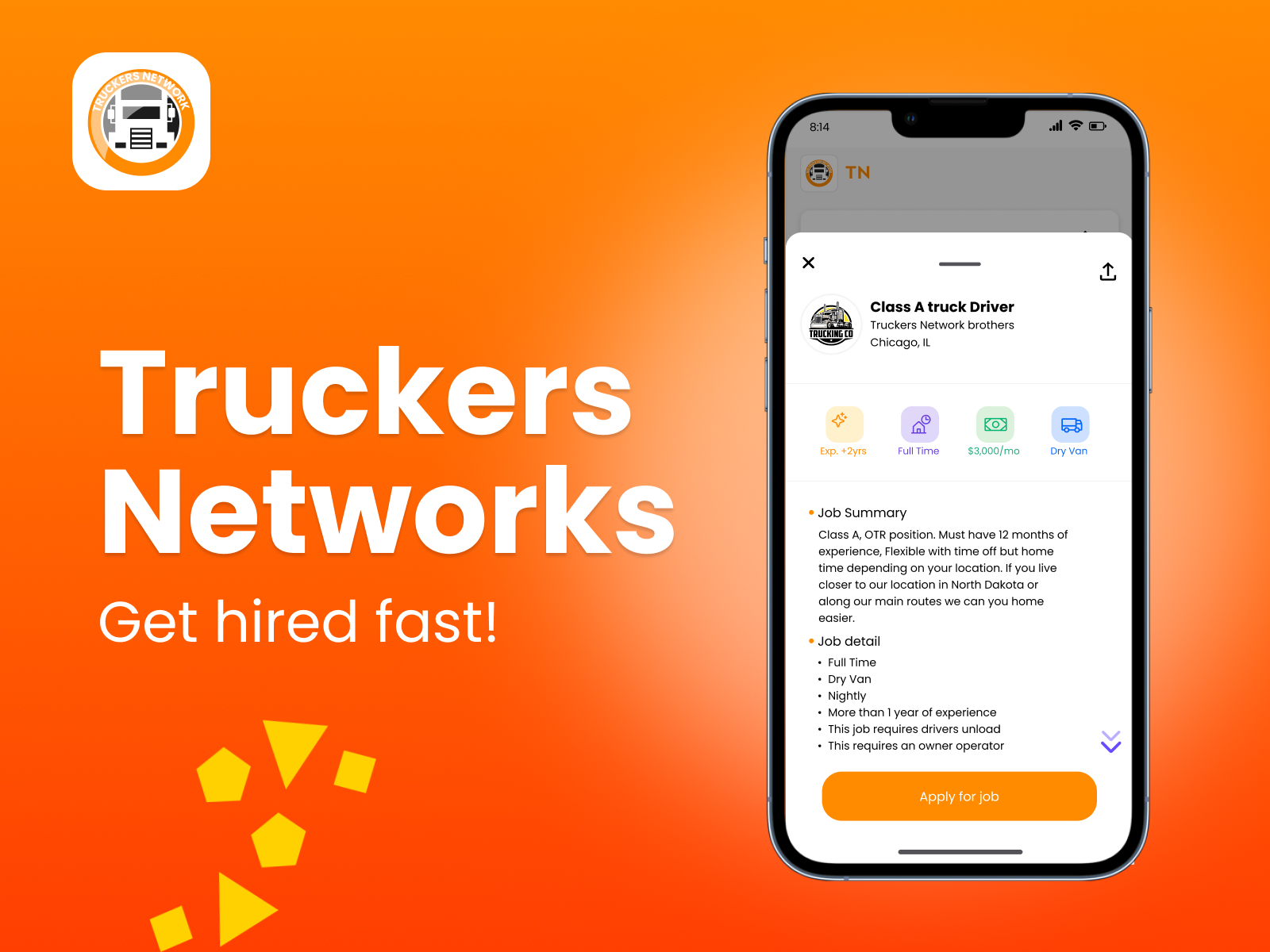
Get hired fast
Cover — a Class A job with experience, home time, pay, and equipment before Apply.
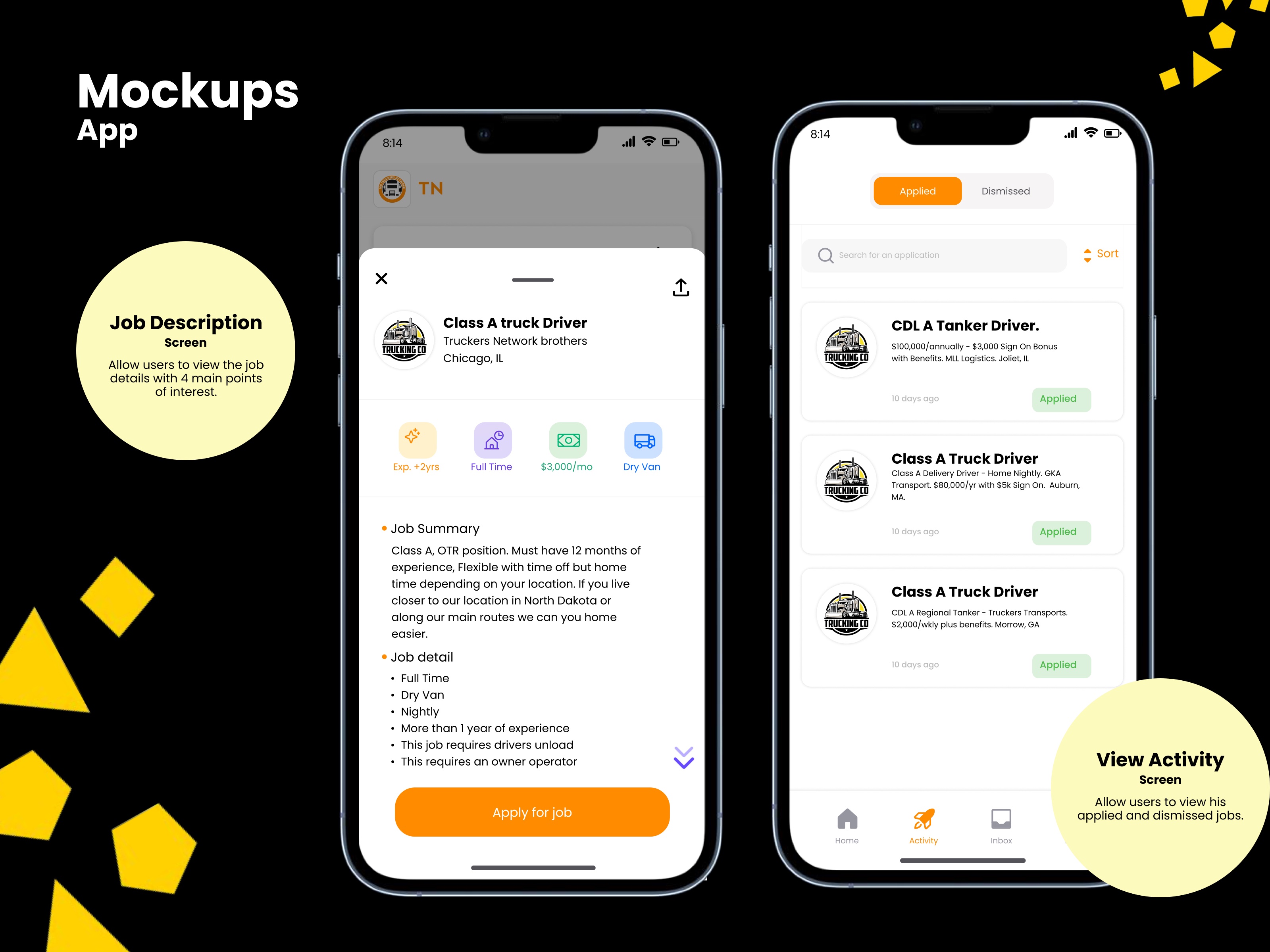
Job detail and activity
Four facts on the job card, then applied versus dismissed in one list.
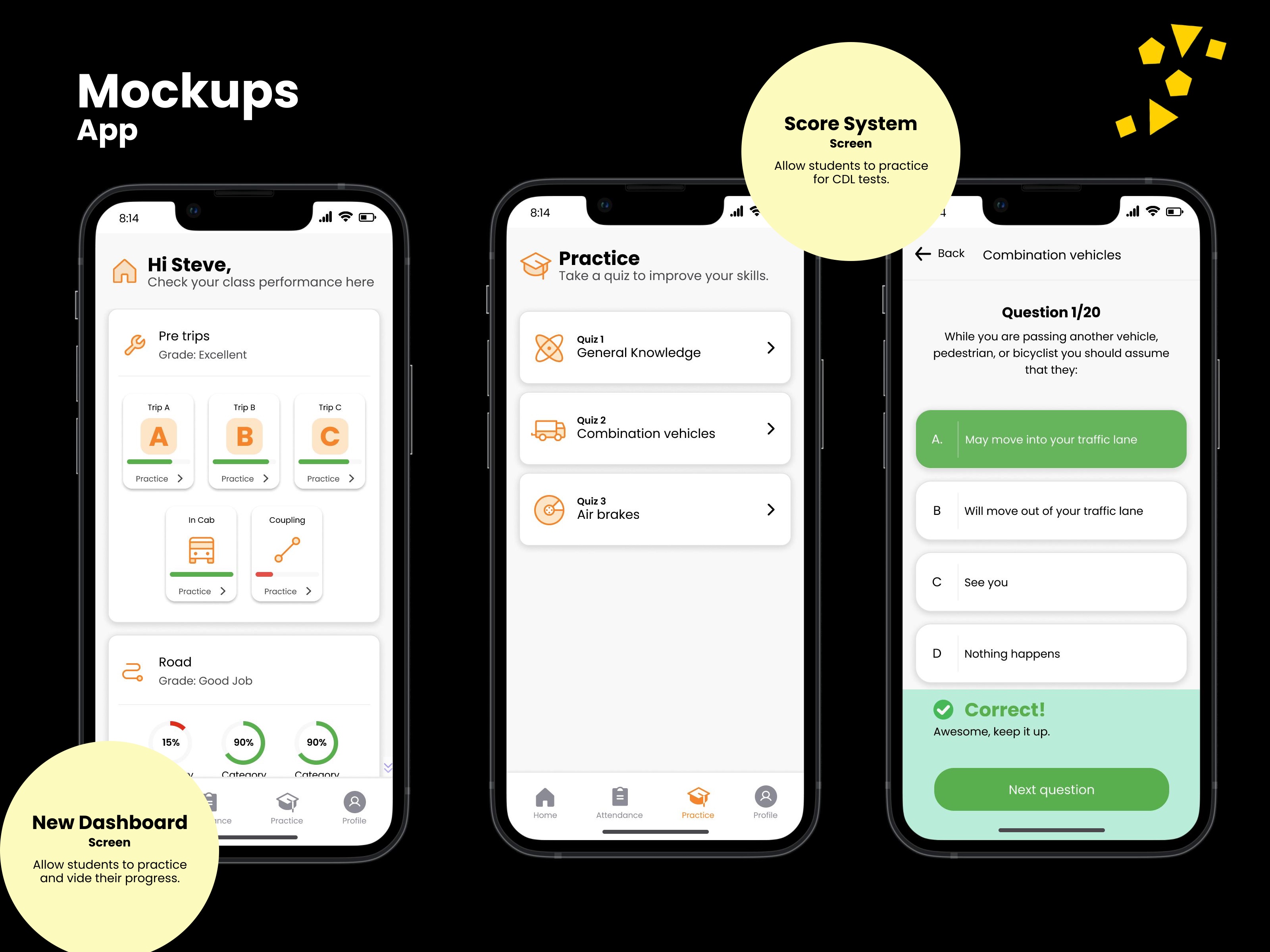
CDL practice
Class dashboard, quizzes, and a scored question so a driver can practice without leaving the app.
Web
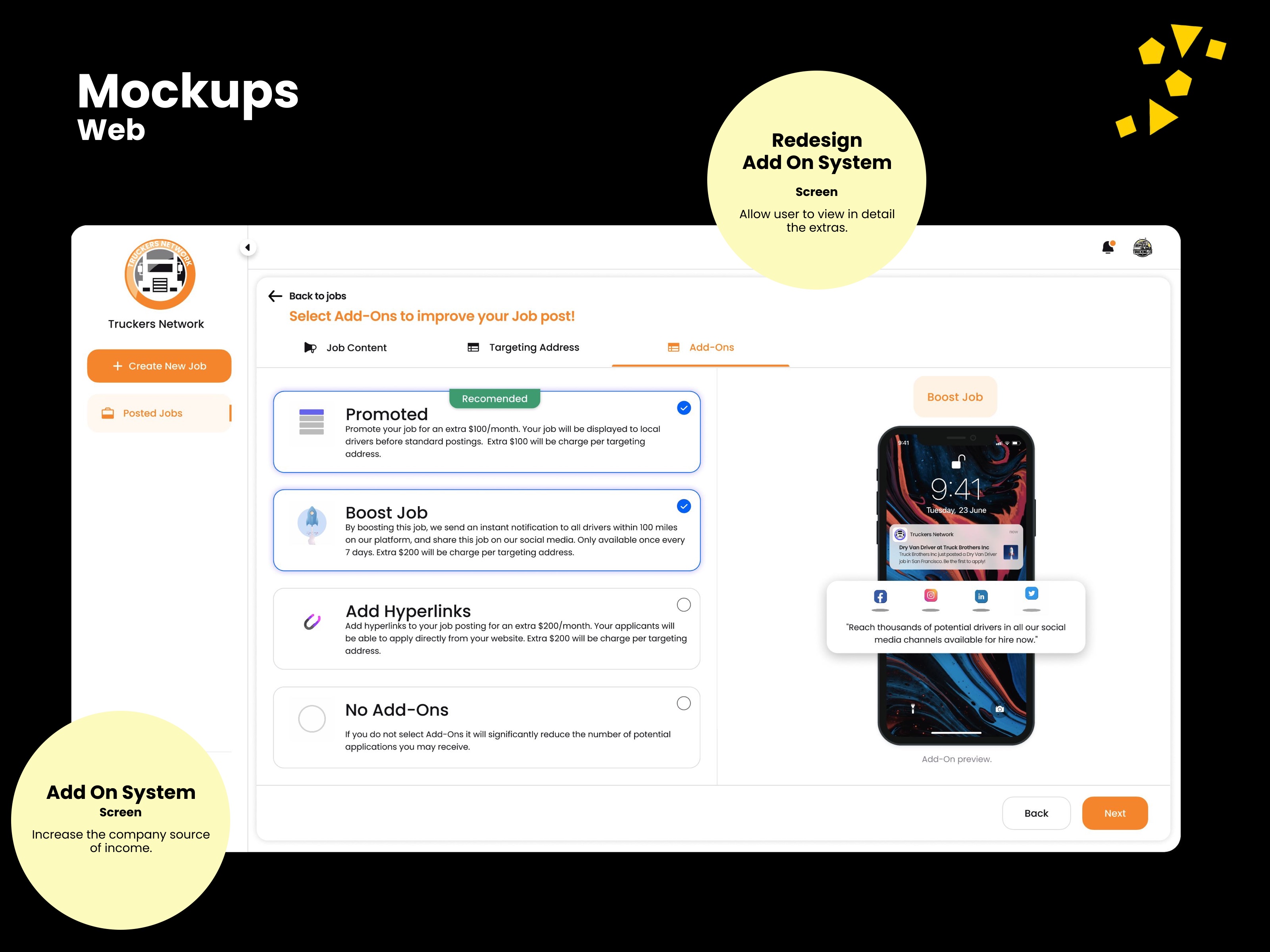
Job add-ons
Promote, boost, or add a hire link — extras that grow reach and company income.
Leadership & performance
Led design through a C-level release when the client learned a product owner had hired Globant and a large engineering bench without telling him. Stayed in the room, documented the work, and helped put the relationship back on track.
Impact
Completion to post a job
34%
Increase in companies finishing a job post.
Support tickets to post
19%
Decrease in tickets asking for help to post a job.
Completion to accept a job
12%
Increase when drivers could see the core information.
Delivery
Telerik UI
Front-end workflow that helped the team ship faster.
STAR case
Put the release back on track
Situation
In a C-level product-release meeting the client learned his product owner had hired Globant and more than fifty developers without telling him. He was angry and said he would not pay.
Task
Stay calm, keep the room from breaking, and protect the work.
Action
Listened. Made clear I was lead design, not the project director. Called an urgent meeting with Globant and Truckers Network, documented the process, and showed the work.
Result
The client came back on track and the relationship between the parties was reestablished.