Coral Todo
Turn your to-do list into a thriving reef
Finish real work, get paid in shells, and plant a reef that is still there after the list is clear — on the phone and on a wide screen.
Project brief
Coral Todo turns a to-do list into a reef you can stand in. Close a task, earn shells, buy coral, plant it on a grid that starts at 3×3, and read the week in Reports. The five sections already in the app are the whole loop.
Problem to address
A list remembers the intention and rarely rewards the finish. In 21,655 one-off tasks, 36% were completed; the rest sat a median of 56 days past the day they were planned. Checking a box leaves nothing behind — and productivity apps are near 4% retained by day 30, before a habit has time to form.
Goals
- Keep the everyday tool calm, and let the reef carry the personality
- Let a new person plant a coral in the first session — 100 starting shells, first coral at 30
- Make the daily set short enough to finish on a phone: 1 high, 3 medium, 5 low
Design methodologies
Research insights
Most written tasks never close
Secondary research — not Coral Todo’s own analytics. Loggd’s 21,655 one-off tasks: 36% completed, median open task 56 days overdue. Productivity apps sit near 17% the day after install and about 4% by day 30 (all apps closer to 7%). Lally et al. put the average habit at about 66 days — past a free-trial window.
36%
Tasks completed
vs
64%
Still open
- Completed36%
- Still open64%
The checkbox is a dead end. The reef, the daily set, and repeated tasks are there to leave something standing after the list is clear.
User journeys
From an empty reef to a reason to come back
Leah — the daily closer on a phone and a free plan — walking the path already in the app. Design persona, not an interview transcript.
Arrive
Ready
- Goal
- See a reef she can grow.
- Action
- Signs in to an empty 3×3 grid and 100 shells — enough for a first coral.
- Opportunity
- The first plant happens before any task is done.
Capture
Focused
- Goal
- Get today’s work out of her head.
- Action
- Adds a task with priority and tags — and can repeat it daily, on weekdays, monthly, or yearly.
- Opportunity
- Keep the add-task path short enough for a pocket.
Finish
Relieved
- Goal
- Close the task and feel it count.
- Action
- Checks it off. Shells and experience land immediately. Higher priority pays more.
- Opportunity
- Show the pay the moment the box is checked.
Clear the set
Proud
- Goal
- Hit the day’s finish line.
- Action
- 1 high, 3 medium, and 5 low adds a 10-shell bonus on top of the individual rewards.
- Opportunity
- A visible 1 / 3 / 5 target on the home list.
Buy
Curious
- Goal
- Pick a coral worth the shells.
- Action
- Opens the shop. Brown Kenya Tree is 30 shells; Rainbow Bubble Tip is 150. The piece goes to inventory.
- Opportunity
- A badge when she can afford a piece, or when inventory is waiting.
Plant
Satisfied
- Goal
- Put the coral on the grid.
- Action
- Places it on the isometric reef. A larger grid costs 100 shells, then 1.5× each time.
- Opportunity
- Drag on desktop; tap-to-place on the phone.
Reflect
Clear
- Goal
- See whether the week matched the plan.
- Action
- Reports show completions by priority, minutes by tag, streaks, and corals over 7, 15, or 30 days.
- Opportunity
- Tasks, minutes, and coral in one place — no leaving the app.
Return
Anchored
- Goal
- Have a reason to open it tomorrow.
- Action
- Tomorrow’s repeats are waiting, the reef is still there, and the next coral has a price.
- Opportunity
- The garden outlives the empty list.
Design decisions
Pay shells for closing work — more for high priority
Finish is the event that should leave a mark. Base pay is 10 shells; the first high of the day is 15. After the daily cap, a completion tapers to 1, then 0 — so the game does not reward an endless list.
Start with 100 shells and a 30-shell coral
A new person can plant before they have ground through a week of tasks. Category retention falls to about 4% by day 30; the reef has to change in the first session.
A daily set of 1 high, 3 medium, and 5 low
Clearing that set adds a 10-shell bonus. It is a finish line that fits on a phone, between other things.
The reef is the souvenir — the checkbox is not
When the list is clear, the garden is still there. Inventory goes onto an isometric grid that starts at 3×3 and grows to 15×15.
The same loop on a phone and a wide screen
Tasks, shop, reef, and reports are first-class on both. Desktop lets you drag from inventory onto the grid; the phone recalculates layout from screen size and orientation.
User flows
Flow

Close a task, grow the reef
Check off today’s work, take the shells, buy a coral, and plant it. Clearing 1 high, 3 medium, and 5 low adds a 10-shell bonus. The grid starts at 3×3 and grows to 15×15.
Product screens
Desktop
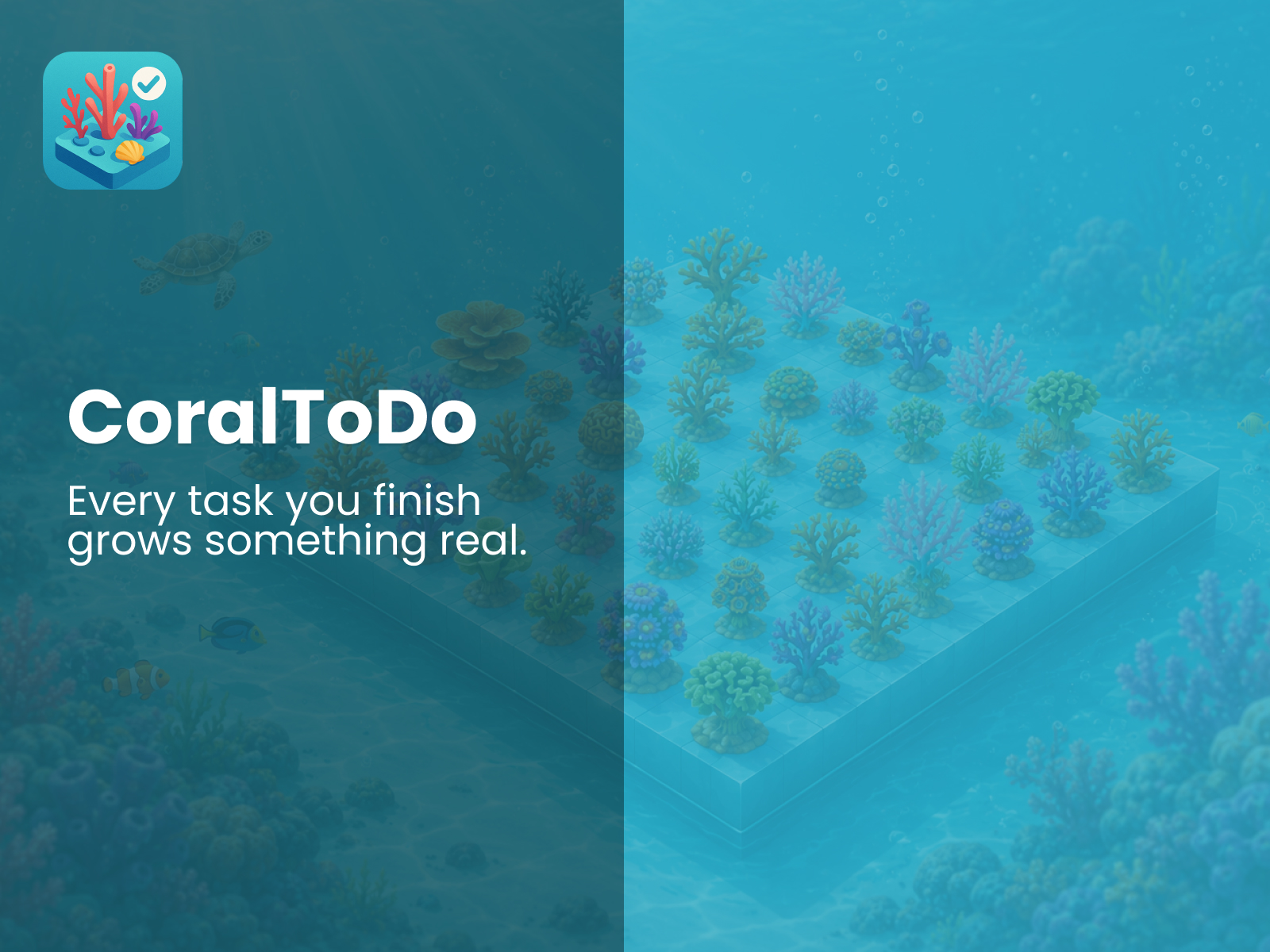
Every task grows something real
Cover — the planted grid next to the line the product designs to: finish today’s work, and let that finish show up on the reef.
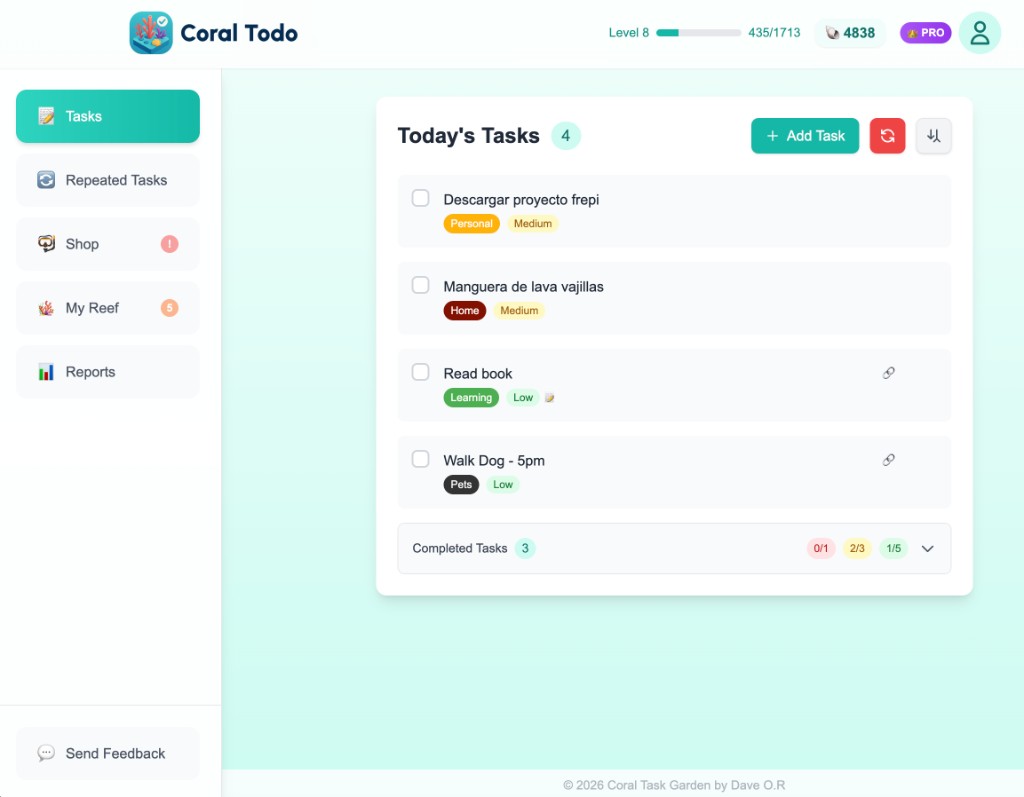
Today’s tasks
Priority and tags on each line, plus the 1 / 3 / 5 daily set under completed — the finish line that pays the bonus.
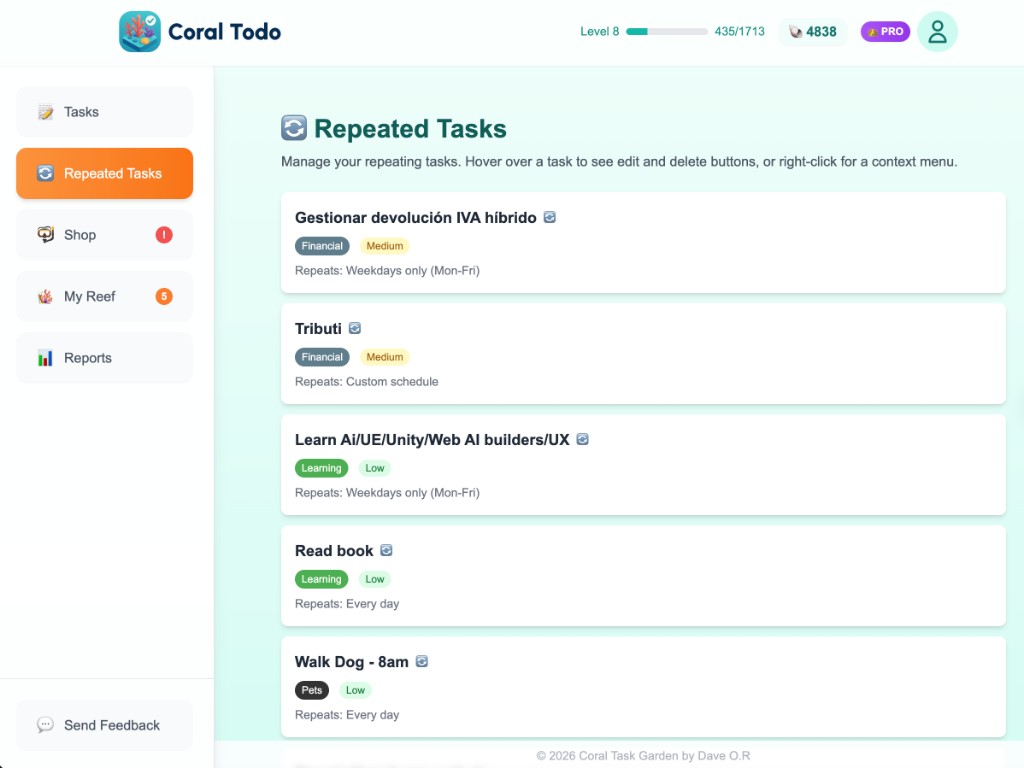
Repeated tasks
Weekdays, every day, or a custom schedule — tomorrow’s list is already waiting.
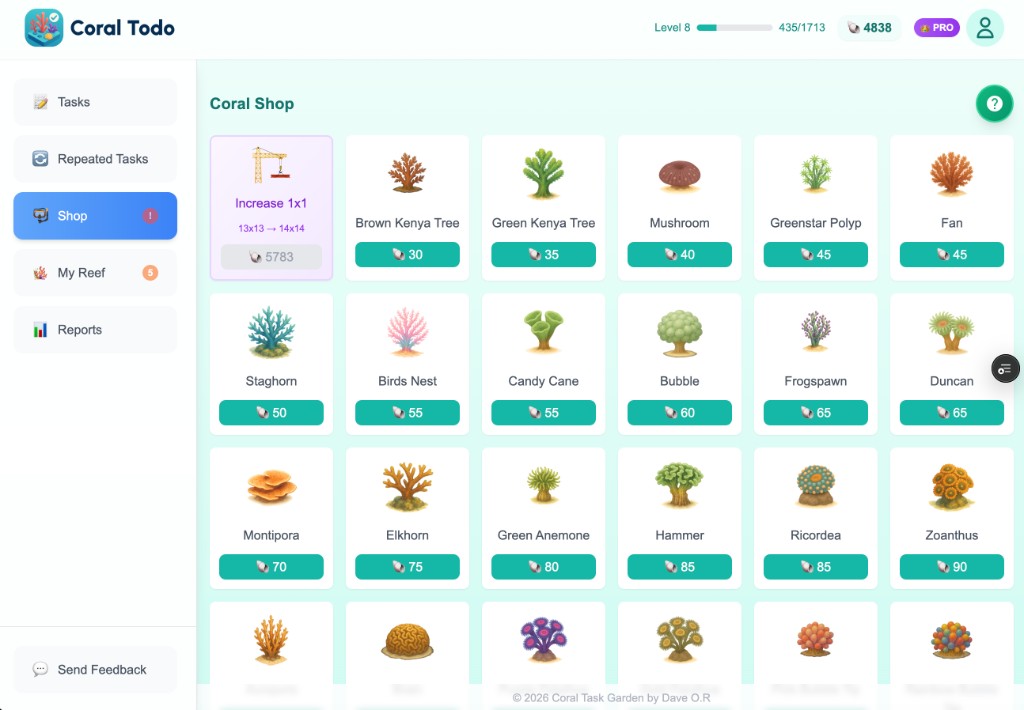
Coral shop
Twenty-three types, 30 to 150 shells, and a tile to grow the grid. Buying puts the piece in inventory.
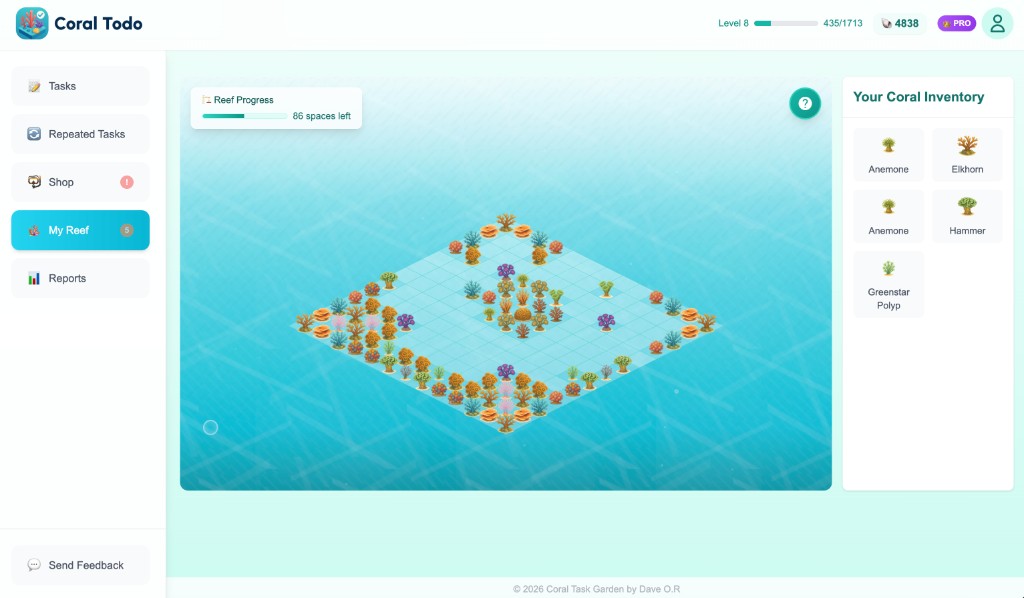
My Reef
Drag from inventory onto the isometric grid. Spaces left and the next expansion stay in view.
Mobile
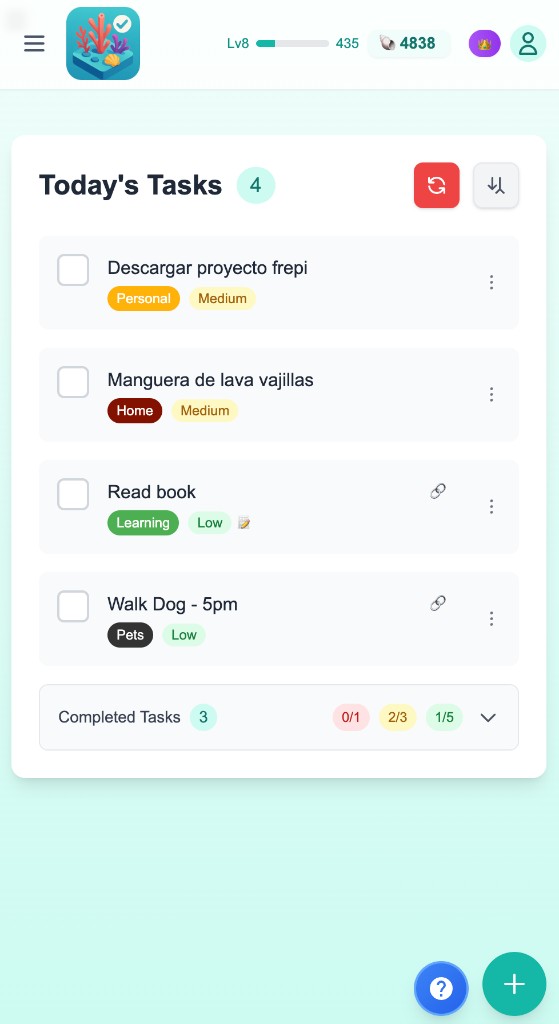
Today’s tasks
The same list and daily-set dots, sized for a pocket — with a control to add the next task.
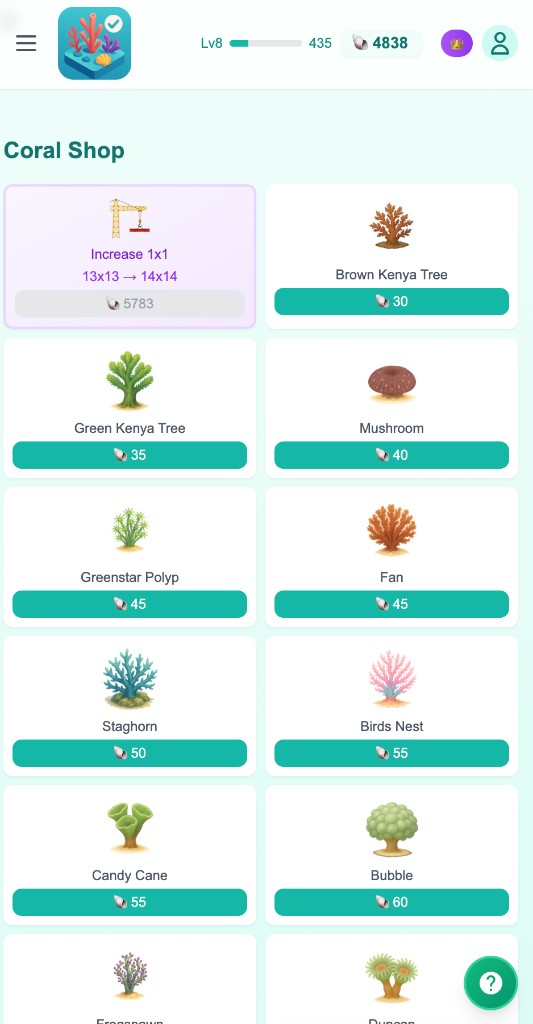
Coral shop
Same prices and expand-grid tile. A badge shows when she can afford a piece, or when inventory is waiting.
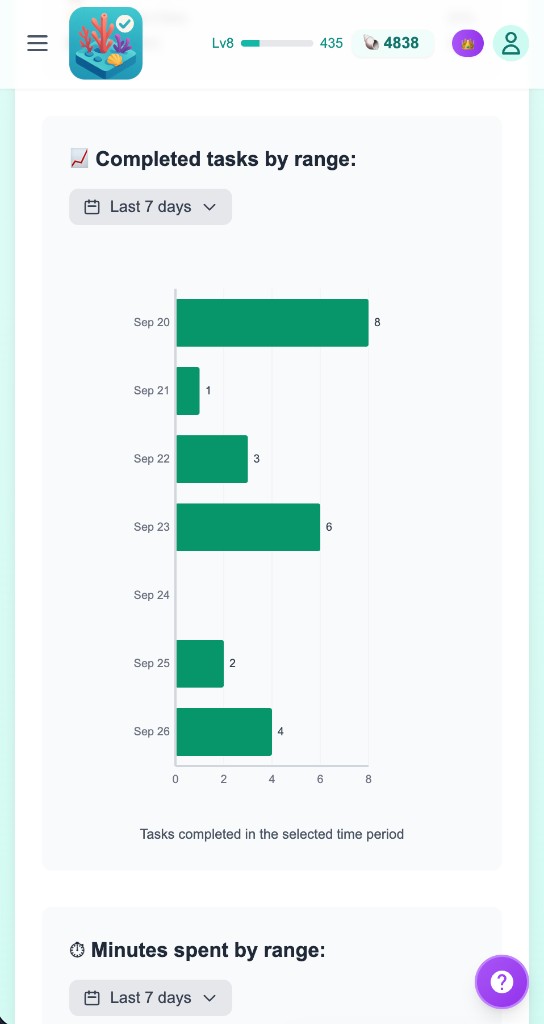
Reports
Completions and minutes over 7, 15, or 30 days — the week without leaving the app.